

dno
Radio Bob Approved
- Joined
- Oct 18, 2020
- Messages
- 118
- Thread Author
- #1
Good day!
I am Dno/Sevens, and you are reading my...
I am Dno/Sevens, and you are reading my...

**Click on images to view them in full**
Step One.
Step One.
Vist one of the sites below, in this example we'll be using FontSpace
Font Generators
- https://www.fontspace.com/category/tattoo
- https://fontmeme.com/tattoo-fonts/
- https://www.1001fonts.com/tattoo-fonts.html
** There are WAYYY more out there, these are just a few**
Step Two
Your Text.
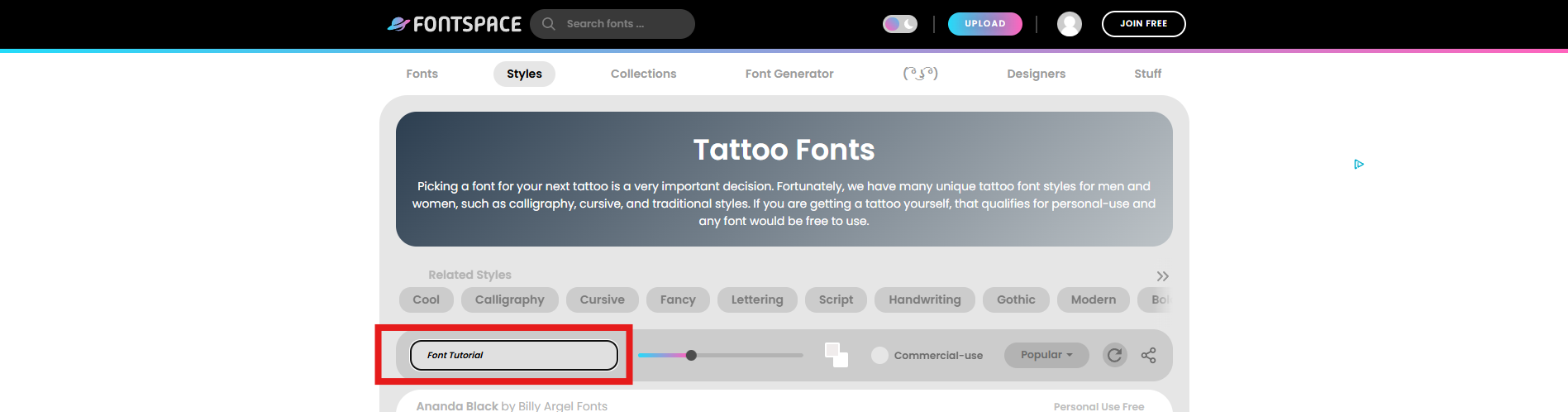
Insert your text where the red box is.
Step Three
Copy The Image.
Copy The Image.
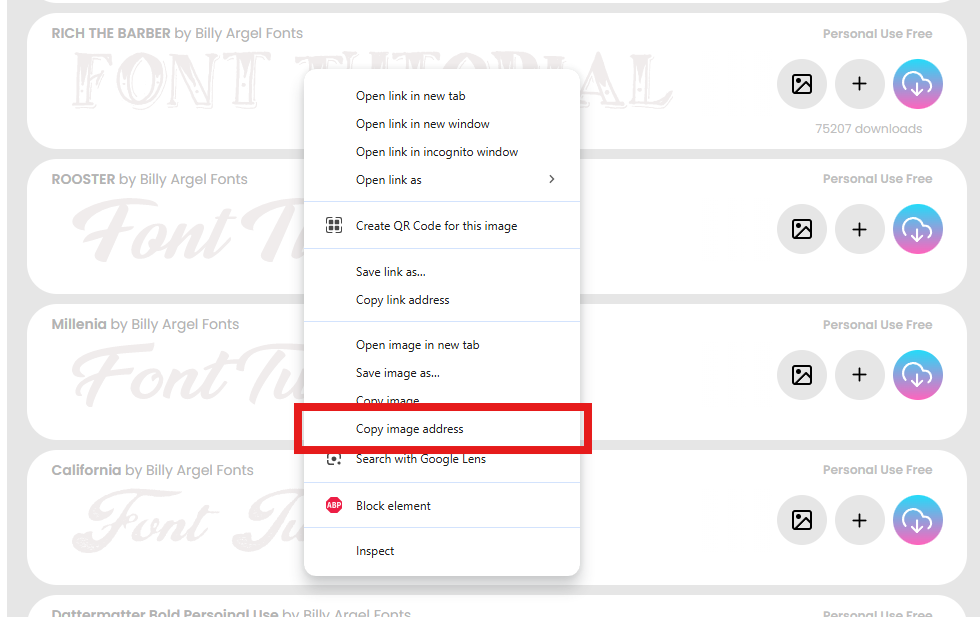
Highlighted in red.
Step Four
Paste to Imgur/Copy From Imgur
Paste to Imgur/Copy From Imgur
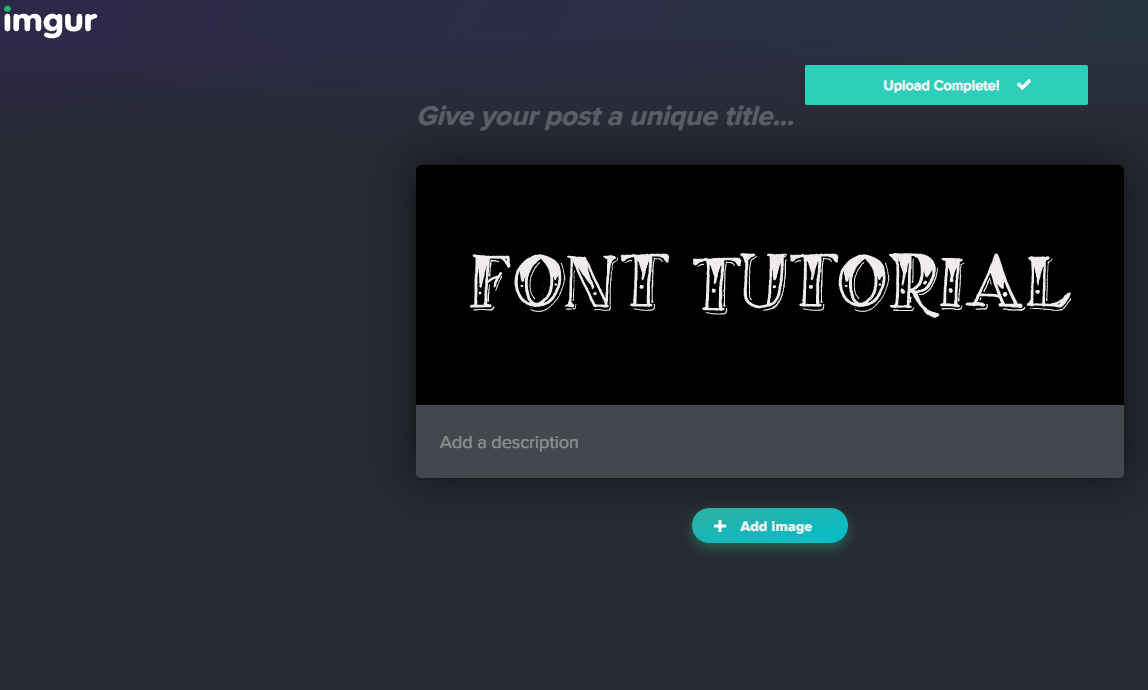
Paste to Imgur and copy the Image address from Imgur, as seen in Step Three, and you may now use that link to post your font to the forums


Hope this helps you with fourms posts, or picture creation- feel free to use this in and out of the community. If you have any questions or need some assistance, please message me here or on discord.
My discord is dno5082
My discord is dno5082